
Weekly Sprint SOP
Weekly Sprint SOP Introduction
This document serves as a comprehensive guide to ensure the consistent and efficient execution of our weekly sprints, fostering a productive and collaborative environment for our team.
These procedures will help us maintain clarity, enhance communication, and achieve our goals effectively.
Our weekly sprint process is integral to our Agile framework, enabling us to break down complex projects into manageable tasks and deliver high-quality results incrementally. This SOP outlines our sprint cycles’ key activities, roles, and responsibilities, providing a clear roadmap from sprint planning to review and retrospectives.
Background of Scrum Methodology
Scrum is an Agile framework developed to help teams work together more effectively and deliver high-quality products iteratively and incrementally. It originated in the early 1990s and was co-created by Ken Schwaber and Jeff Sutherland, who introduced it as a way to address the complexities and unpredictabilities inherent in software development.
The methodology is inspired by lean manufacturing principles and empirical process control, focusing on transparency, inspection, and adaptation. Scrum promotes a collaborative approach where cross-functional teams work in time-boxed iterations called sprints.
This structured yet flexible approach helps teams respond quickly to change, improve communication, and continuously enhance their processes and products.
Scrum Master
The Scrum Master is the person who runs the meeting in the context of a weekly sprint, especially within the Agile framework. The Scrum Master facilitates the sprint meetings, ensures the team adheres to Agile principles, and removes any obstacles that may impede the team’s progress.
The Six Search Way
Scrum is typically used in development agencies. We use the same framework to build our internal SOP and shape our agency. This tried and tested approach has yet to be executed to its full potential.
Sprints are typically 2 – 4 weeks. We will operate a weekly sprint cycle running Mon – Thur with each sprint corresponding to the week of the year we are in.
Step One: Select the weekly sprint template from the “sheets template
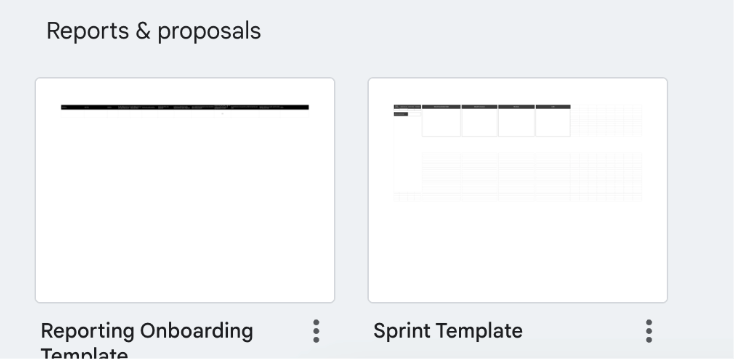
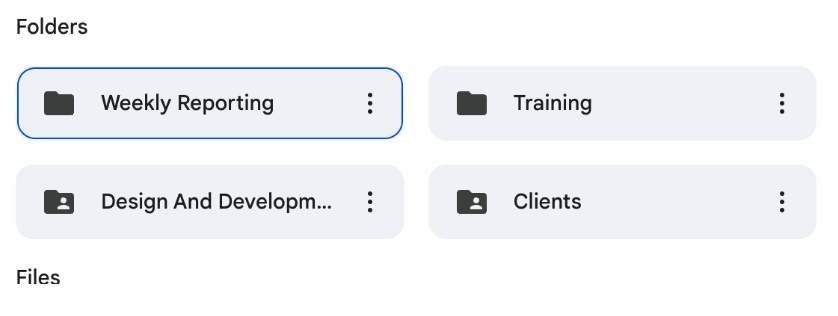
Step Two: Open the template and ensure it is added to the weekly sprint folder, which can be found in the Six Search Client folder. All weekly sprints must be added to this folder for future reference.
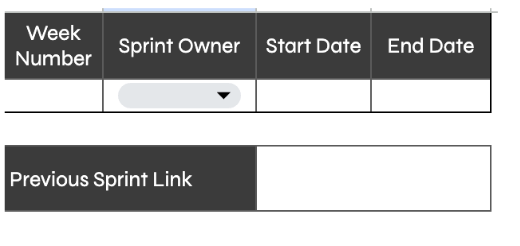
Step Three: Open the Sprint Template and populate the below fields.
Step Four: Working around the team, work through the first page and the elements for the first piece of the stand-up meeting, the “retrospective” This is a summary of the week’s previous. Each aspect and what should be included is below:
What Has Worked Well
This phase in a sprint retrospective focuses on identifying and celebrating the successes and positive aspects of the completed sprint. This phase highlights practices, actions, or changes that contributed positively to the team’s performance and project progress. Here’s what should be included:
Successful Achievements: Completing sprint goals, delivering key deliverables, and reaching milestones.
Effective Collaboration: Instances of excellent teamwork and communication, successful conflict resolution and cross-functional collaboration that improved outcomes.
Process Improvements: New practices or tools that enhance efficiency or productivity effectively implement previously suggested changes and streamlined workflows that reduce bottlenecks.
Problem-Solving: Creative and practical solutions to challenges faced during the sprint and successfully mitigating risks and issues.
Customer/Account Management Feedback: Positive feedback received from customers or events of the week that are in appreciable alignment with customer expectations or requirements.
Learning and Growth: Skills or knowledge gained by team members and instances of mentorship or knowledge sharing within the team.
What To Improve
This phase in a sprint retrospective is dedicated to identifying areas where the team can enhance their processes, interactions, and overall performance. This phase aims to pinpoint specific issues and develop actionable improvement plans. Here’s what should be included:
Unmet Sprint Goals: Any tasks or objectives that were not completed or achieved and reasons behind not meeting these goals (e.g., client sign-off or absences).
Process Inefficiencies: Bottlenecks or delays in the workflow, as well as ineffective practices or tools that hindered productivity.
Communication Issues: Instances of miscommunication or misunderstandings. Or neffective meetings or need for clarity in discussions.
Collaboration Challenges: Team dynamics that need improvement
Resource Management: Resource allocation issues insufficient training or access to necessary tools and resources.
Technical Difficulties: Problems with technology, tools, or infrastructure that impacted progress as well as technical knowledge
Customer/Account Management Engagement: Misalignment with customer expectations.
Learning and Development: Areas where team members need further training or support knowledge gaps that affected the sprint outcomes.
Blockers
The blockers phase in a sprint retrospective focuses on identifying obstacles that prevented the team from progressing during the sprint. Understanding these blockers is essential for finding solutions and ensuring they are mitigated or eliminated in future sprints. Here’s what should be included:
Technical Blockers: Issues with technology or tools (e.g., software bugs, hardware failures). Lack of access to necessary technical resources or environments.
Operational Blockers: Process-related issues causing delays or inefficient workflows, or bureaucratic hurdles.
External Dependencies: We await deliverables or input from external teams, e.g. Joe.
Resource Blockers: Need for more staffing, availability of team members, or lack of access to required expertise or skills.
Communication Blockers: Poor communication channels, a lack of clarity in requirements, and misunderstandings or delays in receiving critical information.
Step Five: Once complete and armed with solid information from the retrospective, move into the second tab on the sheet “weekly sprint”
Step Six: Work through the weekly sprint, adding all the relevant information. Every client in the client list should be worked through. However, only some clients will need attention in a given week as it might have already been serviced satisfactorily the week/weeks prior.
The Asana link must be added to the Asana board in the category “to do.”

Each task will be added based on the need to work towards the objectives set for each client. Good judgment will lead the weekly sprints, and the retrospectives will enable us to map the effectiveness of